How to Find Cash-Flowing Rentals on Zillow (Step-by-Step)
A repeatable workflow to find cash-flowing rental properties on Zillow: filters, metrics, assumption settings, and how Realy ranks listings by cash-on-cash in minutes.
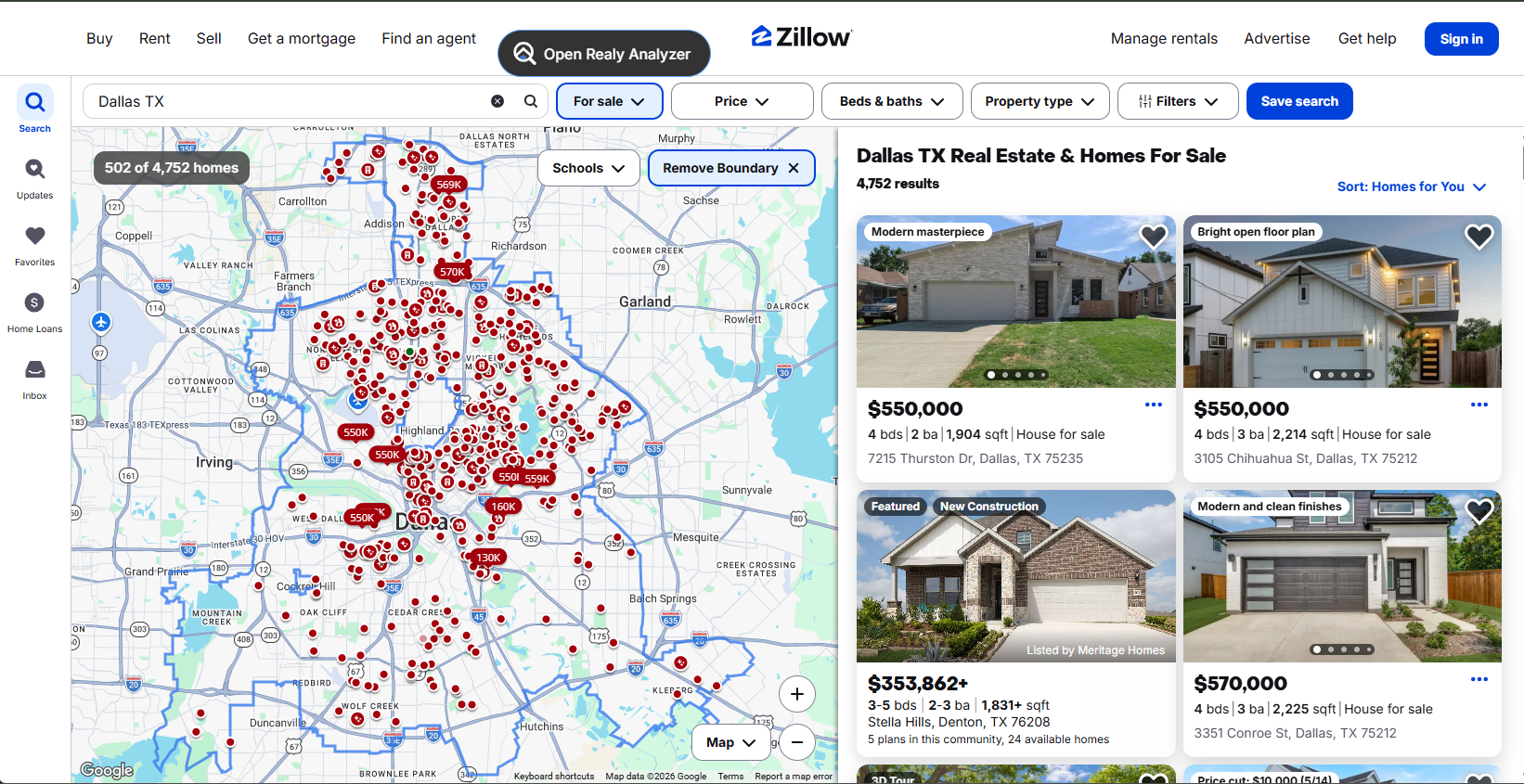
Finding cash-flowing rentals on Zillow is not about luck. It is a filter → rank → verify process. Here is the step-by-step workflow Realy users run daily.
Step 1: Define Your Buy Box
Before opening Zillow, write down:
| Criteria | Example |
|---|---|
| Market | Dallas, TX |
| Price range | $80K–$200K |
| Property type | SFR, townhome, small MF |
| Min monthly cash flow | $300/door |
| Min cash-on-cash | 8%+ |
| Min cap rate | 6%+ |
Your buy box drives Zillow filters and Realy assumption defaults.
Step 2: Set Zillow Filters (Buyer Filters First)
On Zillow search:
- For sale (not sold)
- Price min/max
- Beds/baths minimum
- Home type (house, townhouse, condo: know HOA risk on condos)
- Sort by Newest or Price reduction (not "Zillow recommends")
Zillow filters remove noise. They do not find cash flow. That comes next.
Step 3: Set Realy Assumptions (Before You Browse)
Open the calculator in Realy and configure your reality:
| Input | Conservative starting point |
|---|---|
| Down payment | 20–25% |
| Interest rate | Your actual quote (not best-case) |
| Property tax | 2% or actual county rate |
| Insurance | $1,200+/yr (TX: often higher) |
| Vacancy | 1 month/year minimum |
| Maintenance | 5–8% of rent |
| Management | 8–10% if not self-managing |
| HOA | Actual dues (condos/townhomes) |
Realy defaults (6.5% rate, 2% tax, $0 insurance) are starting points, not underwriting finals.
Step 4: Open Realy Analyzer on Search Results
Click the floating Open Realy Analyzer button on the Zillow search page.
You get:
- Table view: all listings with cap rate, CoC, monthly cash flow
- Map view: geographic clusters of strong deals
Sort by cash-on-cash or monthly cash flow. This is your ranked shortlist. See Top 10 Houston example.
Step 5: Screen With Quick Metrics
Pass listings through three gates:
Gate 1: Rent-to-price
Monthly Rent ÷ Price ≥ 0.8–1.0% (market-dependent)
See rent-to-price ratio guide.
Gate 2: Positive cash flow
Monthly cash flow > $0 after your assumptions, not defaults.
Gate 3: Cap rate floor
Meets your minimum (what is a good cap rate?)
Listings failing any gate get skipped. No emotional attachment to photos.
Step 6: Deep-Dive Winners (5–10 Max)
Click finalists in the table or map → property side panel:
- Adjust rent to comp average
- Add real insurance quote
- Model rehab if photos show deferred maintenance
- Check red flags
Click Detailed analysis for full Realy.app underwriting.
Step 7: Off-Zillow Verification
Zillow finds candidates. You confirm:
- Rent comps (Rentometer, PM quotes, Craigslist/Facebook)
- Tax bill (county assessor, not just 2% guess)
- Insurance quote
- HOA docs (rental allowed? reserves healthy?)
- Drive-by or inspection
- Crime, flood, school research for your tenant profile
Step 8: Make Offers on Surviving Deals
Only offers on properties that pass conservative Realy numbers + field verification.
Track price reductions and days on market for negotiation leverage.
Daily Workflow Summary
Zillow filters → Realy analyzer → Sort by CoC → Side panel top 5 → Verify → Offer
Time: 15–30 minutes to screen a full search vs. hours in spreadsheets.
Related: First rental checklist · Extension guide
Ready to analyze deals faster?
Download Realy for free, or share this with an investor friend.