Realy Calculation Assumptions Procedure: Set Financing and OpEx Once
How to open Calculation Assumptions in Realy, set mortgage, down payment, vacancy, and operating expenses, and apply those defaults across every Zillow listing in the Analyzer.
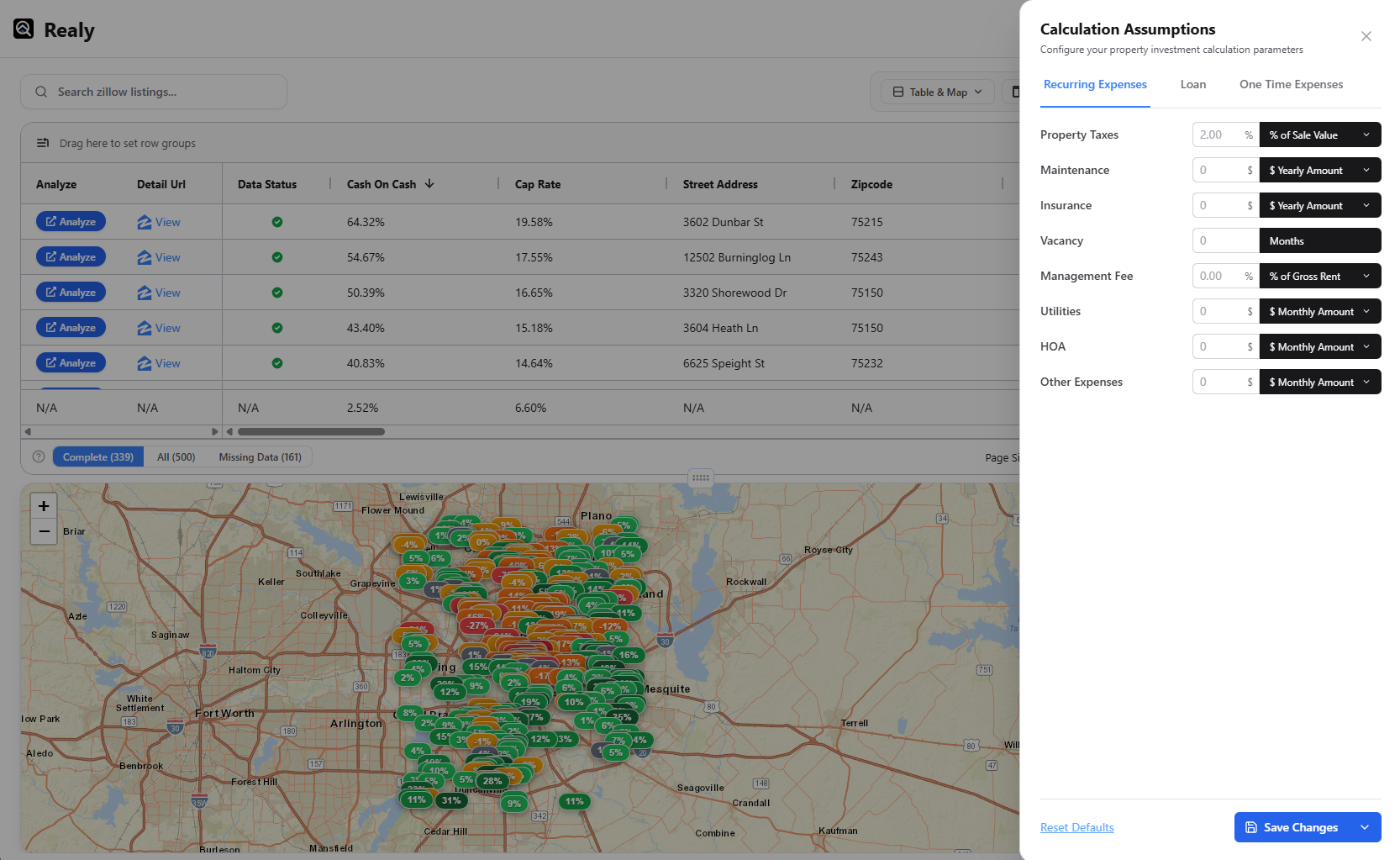
Investment metrics are only as good as the inputs behind them. Realy’s Calculation Assumptions panel is where you define global deal defaults — financing, vacancy, OpEx, and more — so every listing in the current Analyzer session uses a consistent underwriting model.
This procedure matches Docs → Calculation assumptions.
Why Set Assumptions Before You Sort
If you sort by Cash on Cash with Realy’s defaults, you are ranking deals under someone else’s rate and expense stack. Change assumptions once, then re-sort — the table and map update together.
Typical defaults investors customize:
| Category | Examples |
|---|---|
| Purchase / equity | Down payment %, closing costs, renovation reserve |
| Debt | Interest rate, loan term, points |
| Income | Vacancy months / vacancy loss, rent source (Rent Zestimate editable) |
| OpEx | Property tax rate, insurance, maintenance, management, HOA, utilities |
Per-listing overrides still exist in the analysis panel and Zillow sidebar when one deal needs a different rehab or rent.
Procedure
Step 1 — Open the Analyzer on a Zillow search
Follow getting started until the table + map dashboard is open.
Step 2 — Open Calculation Assumptions
In the table toolbar, click Calculation Assumptions. The panel shows your global defaults for the session.
Step 3 — Align inputs with your strategy
Work top to bottom:
- Financing — rate and term you actually qualify for today
- Down payment & closing — match your equity plan
- Vacancy & management — market-realistic, not optimistic
- Maintenance & insurance — % of rent or fixed monthly, consistently
- Tax assumptions — use local effective rates when you know them
Save / apply so the grid recalculates.
Step 4 — Re-rank the market
Sort by Cash on Cash or Cap Rate. Toggle Complete data mode if you want only rows with enough inputs for a clean underwrite (see table procedure).
Step 5 — Override only on shortlisted deals
Click a listing → analysis panel → Quick Edit or income/expense sections for property-specific rent, rehab, or HOA. Global assumptions stay the baseline for everything else.
Checklist
- Assumptions opened from the Analyzer toolbar
- Rate / down payment match your current financing
- Vacancy and management are not zero by accident
- Table resorted after apply
- One deal spot-checked in the analysis panel
Related Docs & Posts
- Docs: Calculation assumptions
- Docs: Analysis panel — Metrics & Quick Edit
- Cash-on-cash return formula with examples
- Cap rate vs cash-on-cash
Full product reference: /docs.
Ready to analyze deals faster?
Download Realy for free, or share this with an investor friend.