Realy Getting Started Procedure: Zillow Search to First Analysis
Step-by-step: install the Realy Chrome extension, open a Zillow search, launch the Analyzer, sign in, and see cash-on-cash and cap rate on every listing.
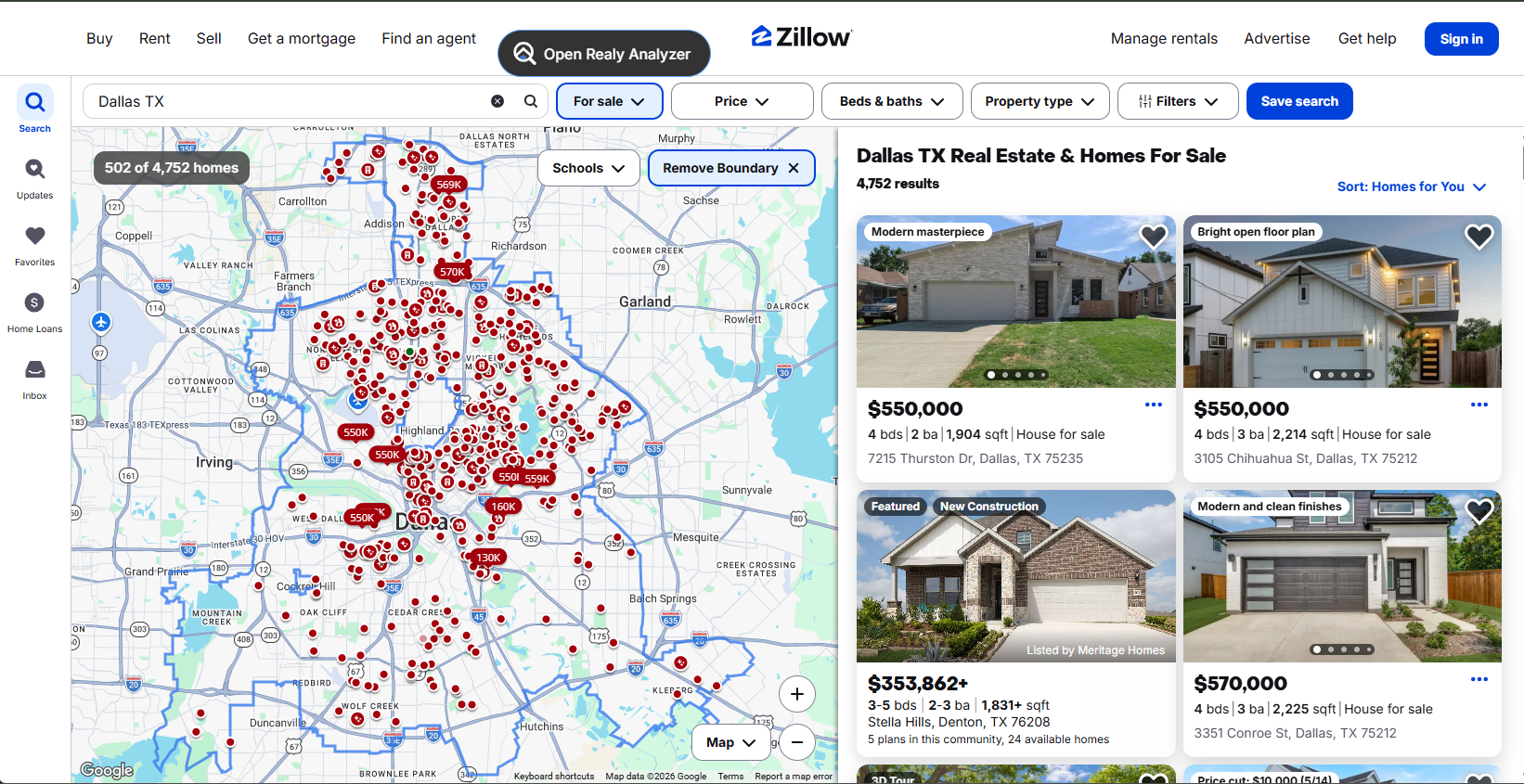
This is the official getting started procedure for Realy — the same path documented in Docs → Getting started. Follow it once; after that, opening the Analyzer on any Zillow search is one click.
Before You Start
- Google Chrome (or a Chromium browser that supports the Chrome Web Store)
- A Zillow account is not required — Realy reads the public listing page you are viewing
- Realy targets buy-and-hold long-term rentals (1–4 units) on Zillow
Install from the Chrome Web Store:
Realy – Investor analytics on Zillow
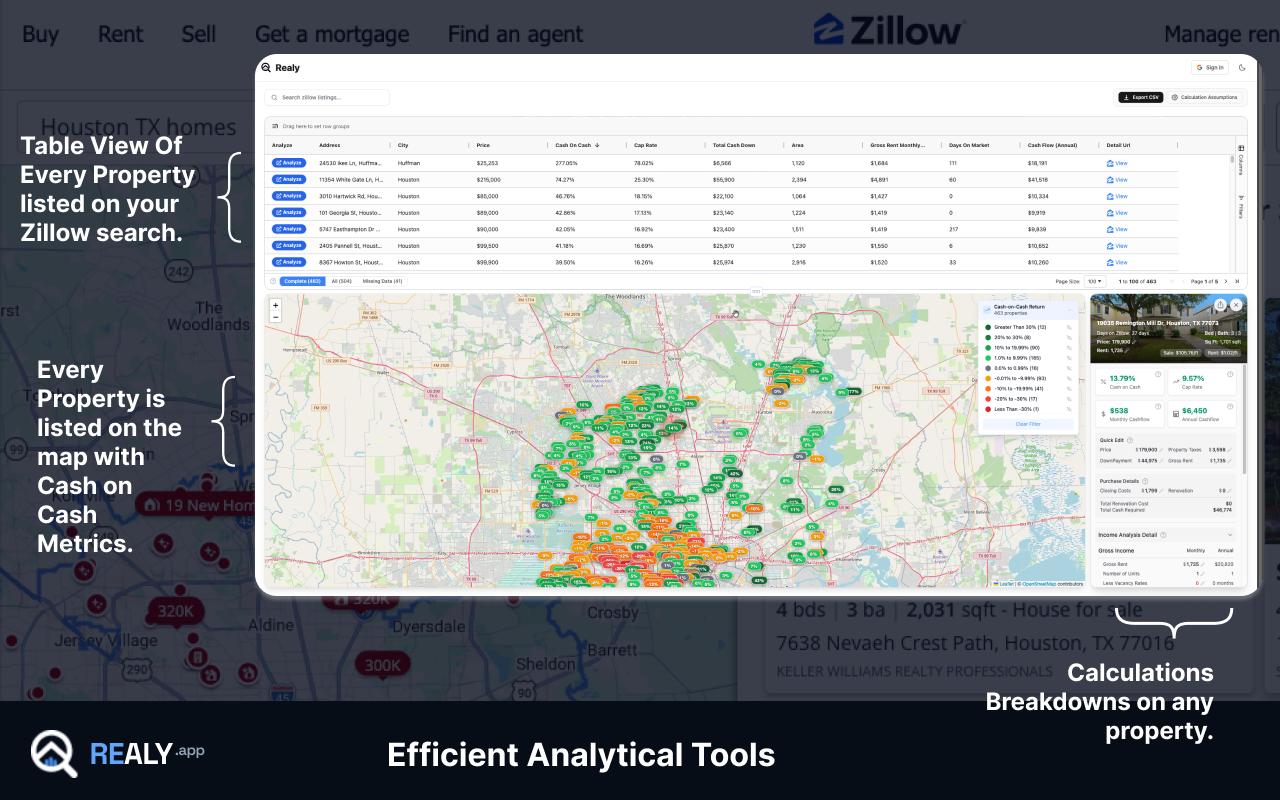
Procedure: First Metrics in Four Steps
Step 1 — Install the extension
Add Realy from the store and pin it if you want the toolbar icon visible. No separate desktop app is required.
Step 2 — Open a Zillow search results page
Go to a city or neighborhood results list, for example Dallas, TX for sale, and apply your usual Zillow filters (price, beds, property type) before opening Realy. The Analyzer analyzes whatever listings are on that search page.
Step 3 — Click “Open Realy Analyzer”
On search results you get a floating Open Realy Analyzer button (draggable; position remembered). Click it to open the full dashboard: table + map with investment metrics on every listing.
On a single listing page, use the Realy Analyzer sidebar instead — same metrics for that one property.
On the Zillow homepage / non-search pages, a floating guide with live preview metrics can send you to a search when you are ready. See Docs → Open the Analyzer.
Step 4 — Sign in when prompted
Sign in to unlock full metrics, share, sync, and Detailed analysis on Realy.app. After that, set Calculation assumptions once so every listing uses your rate, down payment, and OpEx defaults.
What Success Looks Like
| Checkpoint | Expected result |
|---|---|
| Extension installed | Realy UI appears on Zillow search / listing pages |
| Analyzer open | Table of listings with Cash on Cash, Cap Rate, cash flow |
| Signed in | Share, sync, and web Detailed analysis available |
| Assumptions set | Metrics reflect your financing, not generic defaults |
Default table sort is Cash on Cash descending so strong deals surface first.
Next Procedures
Full reference with screenshots: Realy Docs.
→ Related: How the Realy Chrome Extension Works
Ready to analyze deals faster?
Download Realy for free, or share this with an investor friend.