Realy Docs Guide: How to Use the Product Documentation
A tour of Realy's Docs & Features page — how the sidebar TOC works, which sections cover which workflows, and how to jump from blog tutorials into the live product guide.
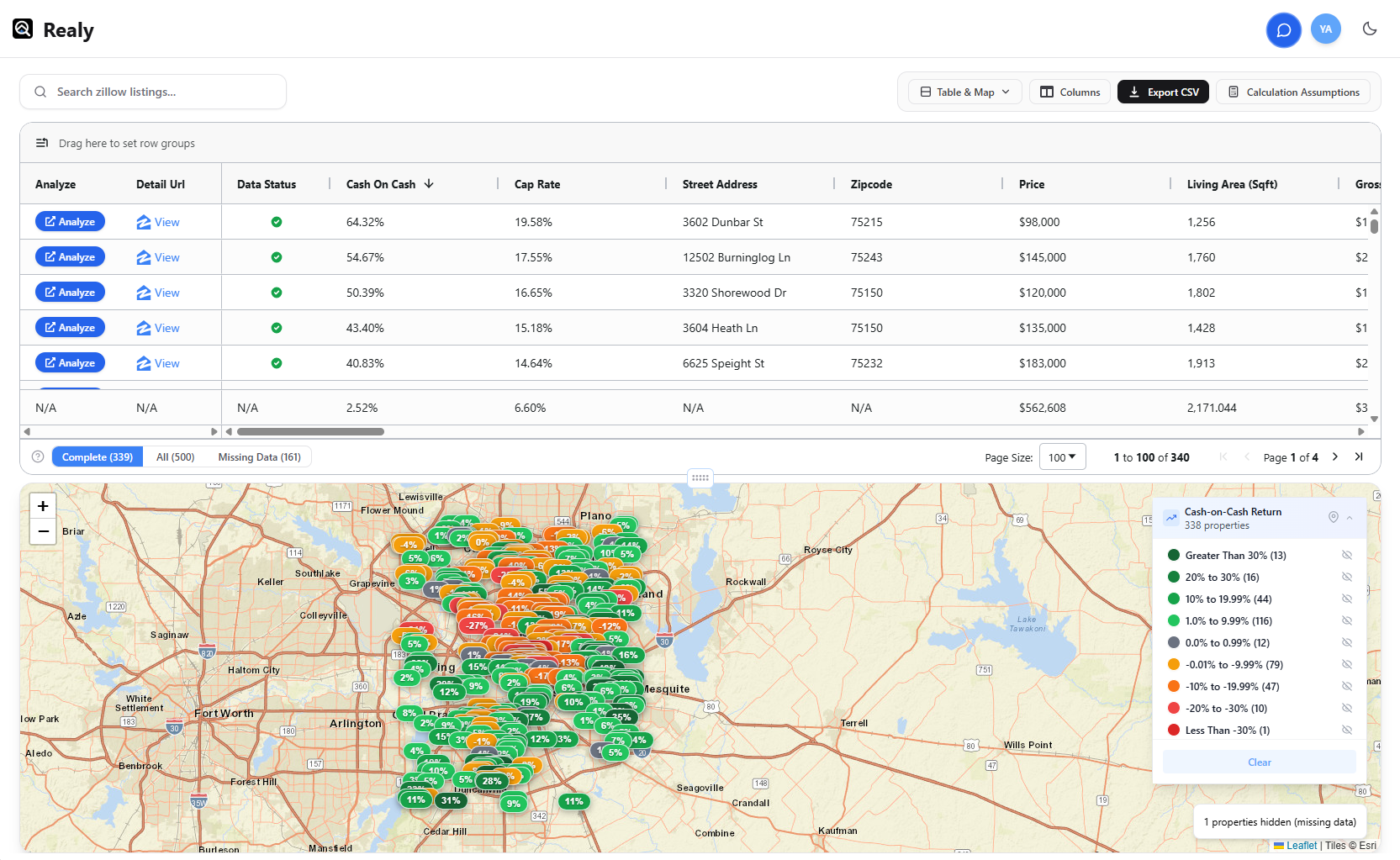
Realy’s product documentation lives at /docs — a single, searchable guide for every surface of the Chrome extension and Realy.app: table, map, analysis panel, assumptions, sidebar, share, and account.
This post explains how to use that docs page effectively, then points you to procedure blogs for each major workflow.
What You’ll Find on /docs
The docs page is organized as a table of contents + long-form guide:
| Section | What it covers |
|---|---|
| Getting started | Install → Zillow search → Open Analyzer → sign in |
| Open the Analyzer | Floating button, listing sidebar, homepage floating guide |
| Dashboard | Table & Map / Table Only / Map Only layouts; theme & support |
| Table (AG Grid) | Toolbar, columns, group & aggregate, row actions |
| Map view | Pins, legend/histogram, pin popup |
| Analysis panel | Docked / drawer / floating modes, Quick Edit, expenses |
| Calculation assumptions | Global deal defaults that drive every metric |
| Zillow sidebar | Per-listing analyzer on Zillow detail pages |
| Detailed analysis (web) | Full underwrite on Realy.app |
| Share & export | Reports and CSV |
| Account & usage | Sign-in, limits, support |
| FAQ + Contact | Common questions and how to reach us |
Use the left sidebar (desktop) or “Jump to section” (mobile) to skip ahead. Active section highlighting follows as you scroll.
Recommended Reading Order
- Getting started — five minutes to first metrics.
- Calculation assumptions — set your financing and OpEx once.
- Table — sort, filter Complete/Missing, export.
- Analysis panel — deep-dive one deal without leaving the grid.
- Detailed analysis — full web underwrite when a deal survives screening.
For step-by-step writeups of those workflows, see:
- Getting started procedure
- Table & filter procedure
- Assumptions procedure
- Map & analysis panel procedure
Docs vs Blog vs Support
| Resource | Use when |
|---|---|
| /docs | You need the canonical feature reference with screenshots |
| /blog | You want investor context, market screens, or narrative tutorials |
| Support widget / [email protected] | Something is broken, wrong data, billing, or a feature request |
The floating Docs & features chip on the marketing site also links to /docs (dismissible for the session).
Tip: Keep Docs Open While You Work
Open realy.app/docs in a second tab while you run a Zillow search. When you hit a control you don’t recognize (Missing Data tabs, column grouping, map legend), jump to the matching hash — e.g. /docs#table-group-agg — instead of guessing.
Numbers in Realy are estimates for buy-and-hold 1–4 unit rentals. Always verify with your own due diligence.
Ready to analyze deals faster?
Download Realy for free, or share this with an investor friend.