Realy Map and Analysis Panel Procedure: Pins, Legend, and Deal Deep-Dive
Step-by-step guide to Realy's map pins, CoC legend/histogram, pin popups, and analysis panel modes (docked, drawer, floating) for underwriting a single Zillow listing.
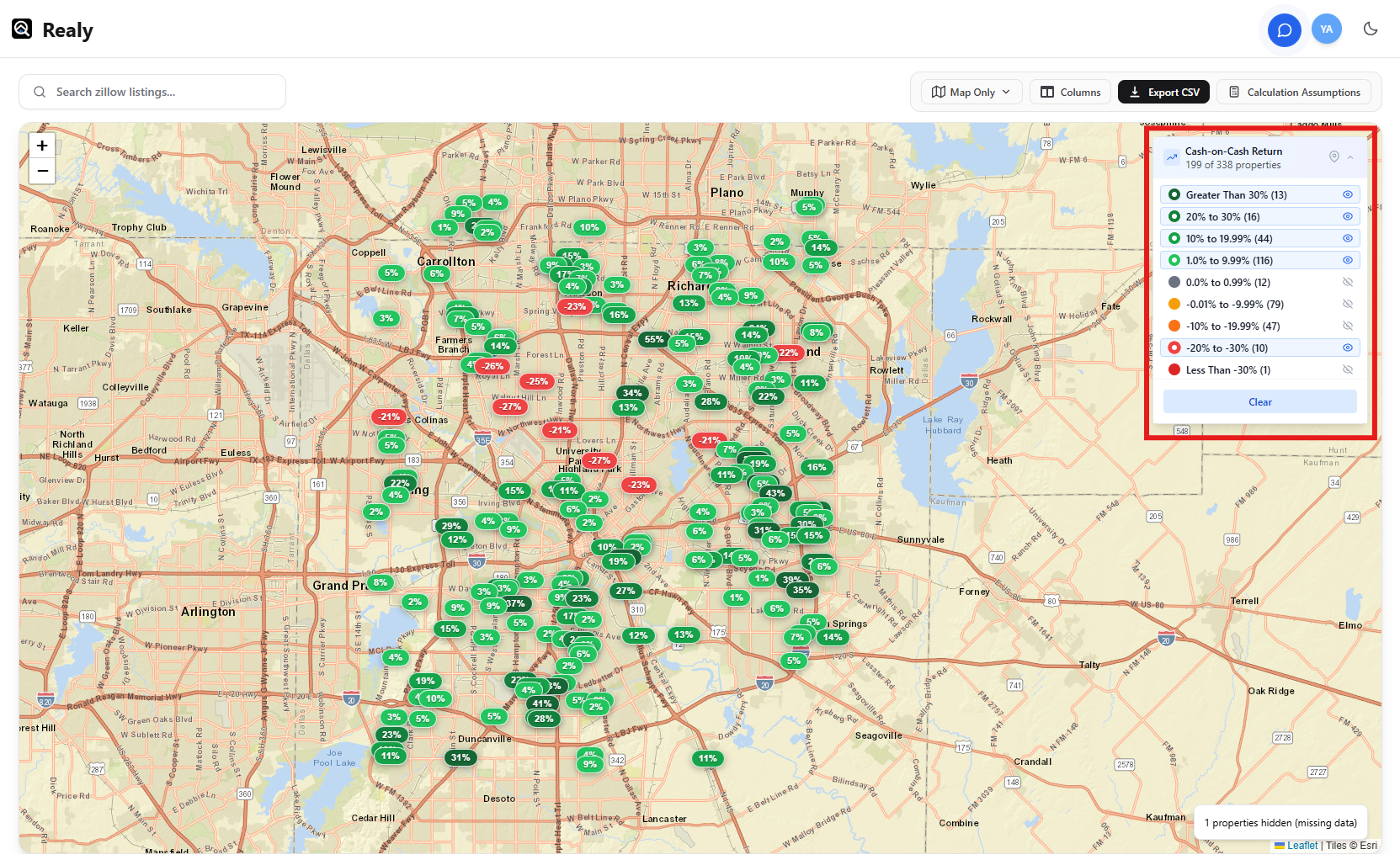
After you screen with the table, use the map to spot geographic clusters and the analysis panel to underwrite one deal without losing the rest of the search. This procedure follows Docs → Map view and Docs → Analysis panel.
Part A — Map View Procedure
Step 1 — Switch layout if needed
Choose Table & Map or Map Only from the layout control. Map Only is best for scanning a city; split view is best when you still sort the grid.
Step 2 — Read pins and metrics
Pins represent listings from the current Zillow search. Metric coloring (e.g. Cash on Cash) is driven by the same assumptions as the table — update assumptions if the map looks “wrong.”
Step 3 — Use the legend / histogram
The map legend and histogram help you filter or interpret the distribution of returns across the market. Use them to focus on neighborhoods where CoC clusters look strong.
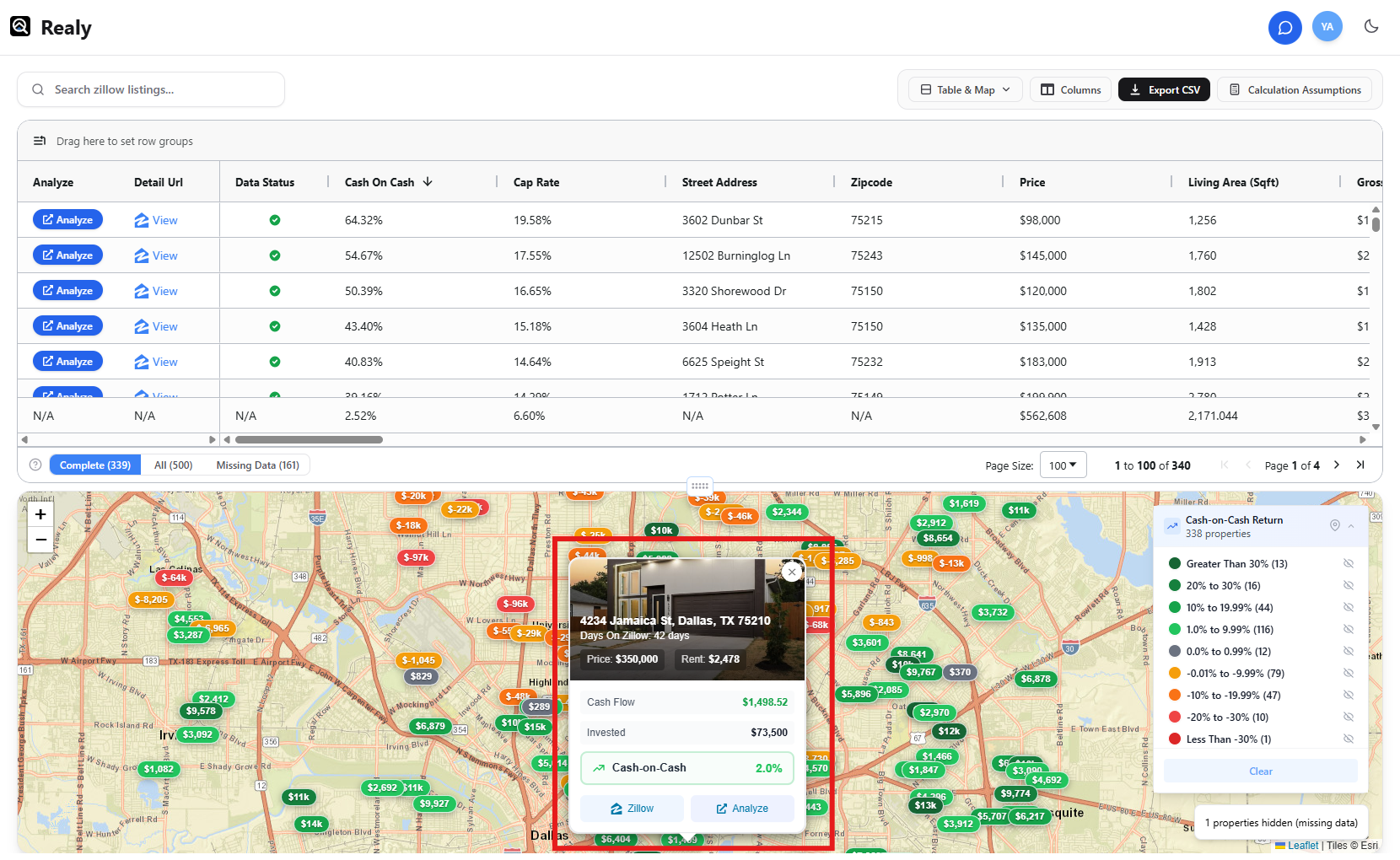
Step 4 — Open a pin popup
Click a pin for a mini summary, then open the full analysis panel or listing as needed.
Part B — Analysis Panel Procedure
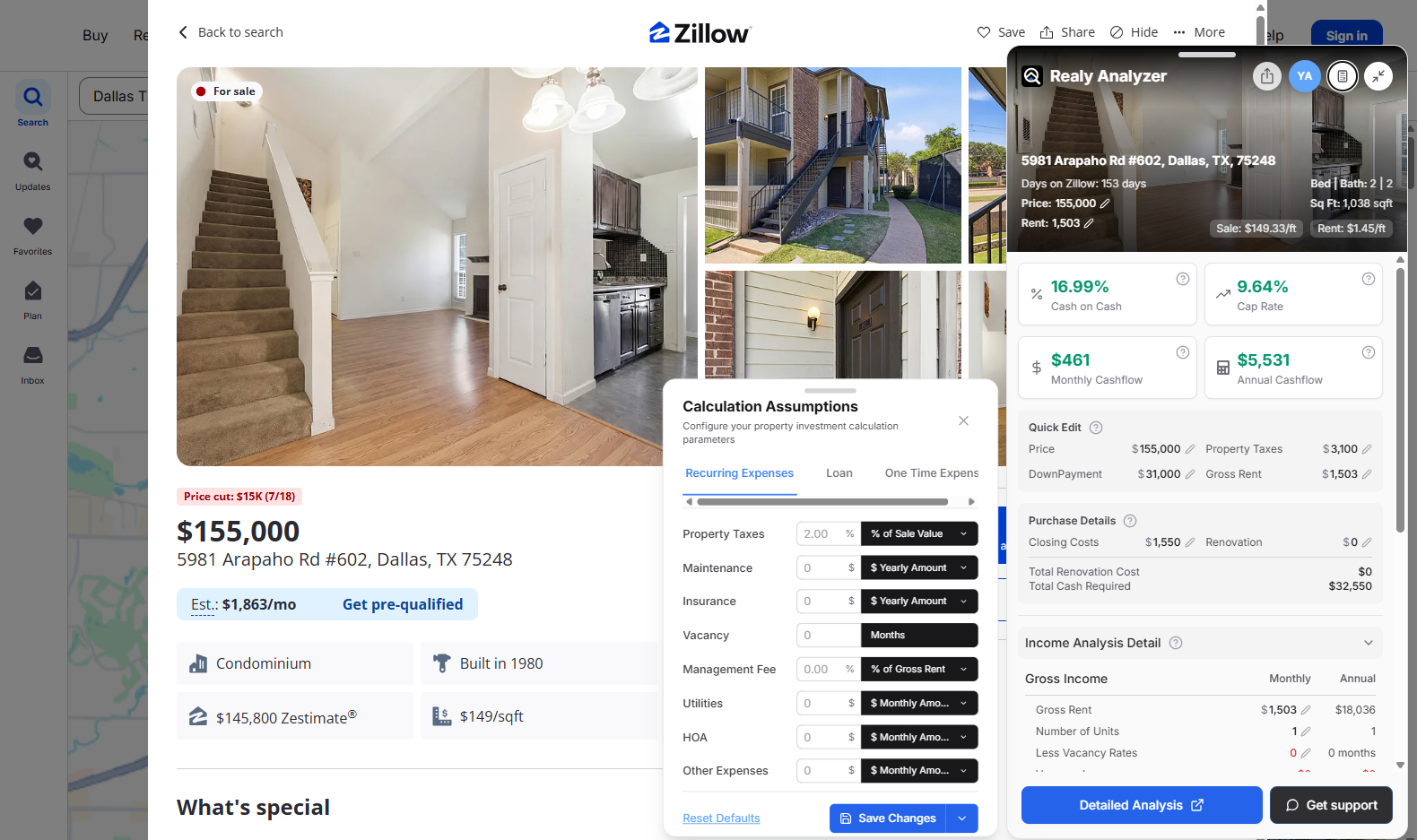
The analysis panel is the deep-dive surface for one listing while the table/map stay available behind it.
Step 1 — Open a listing from table or map
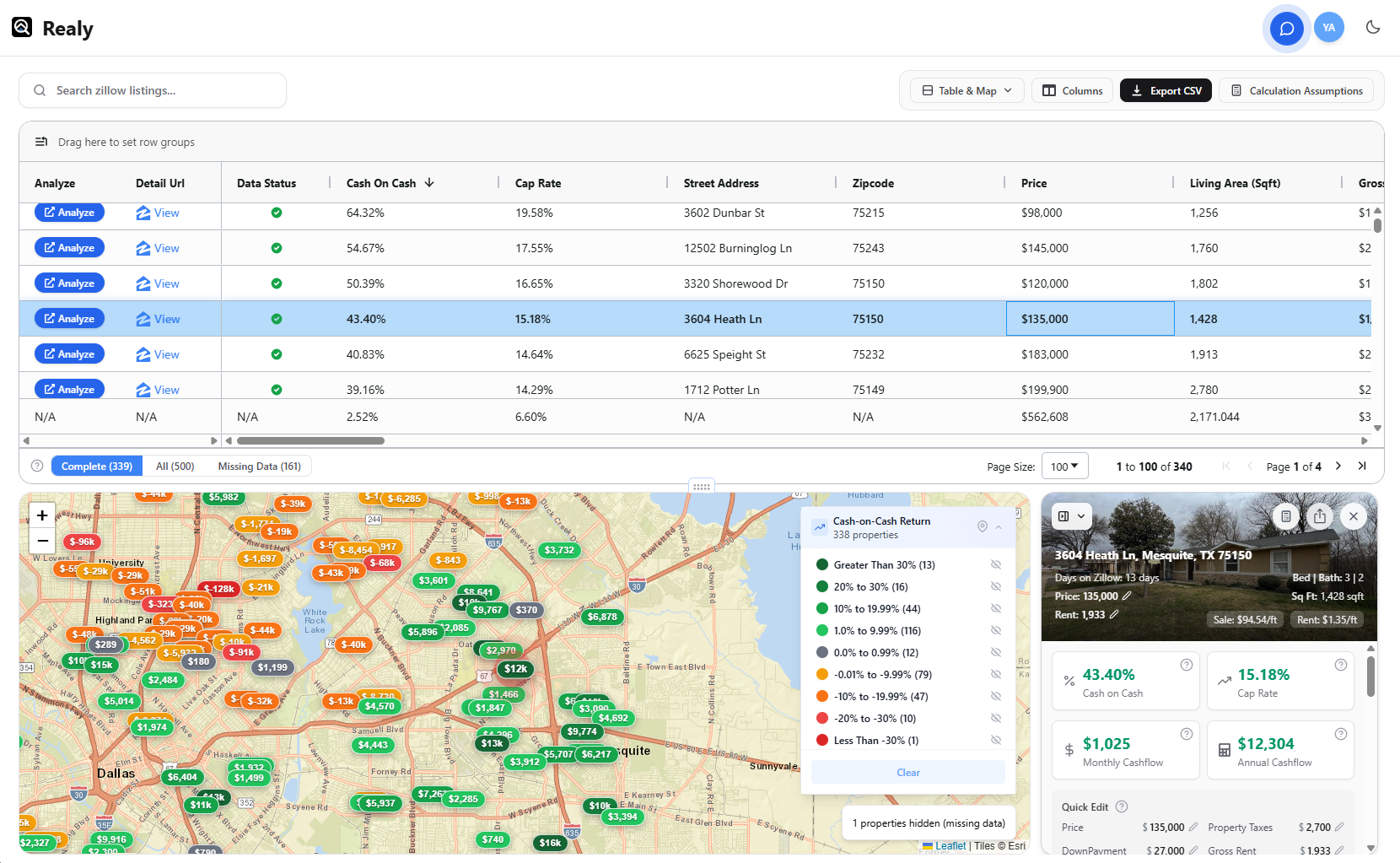
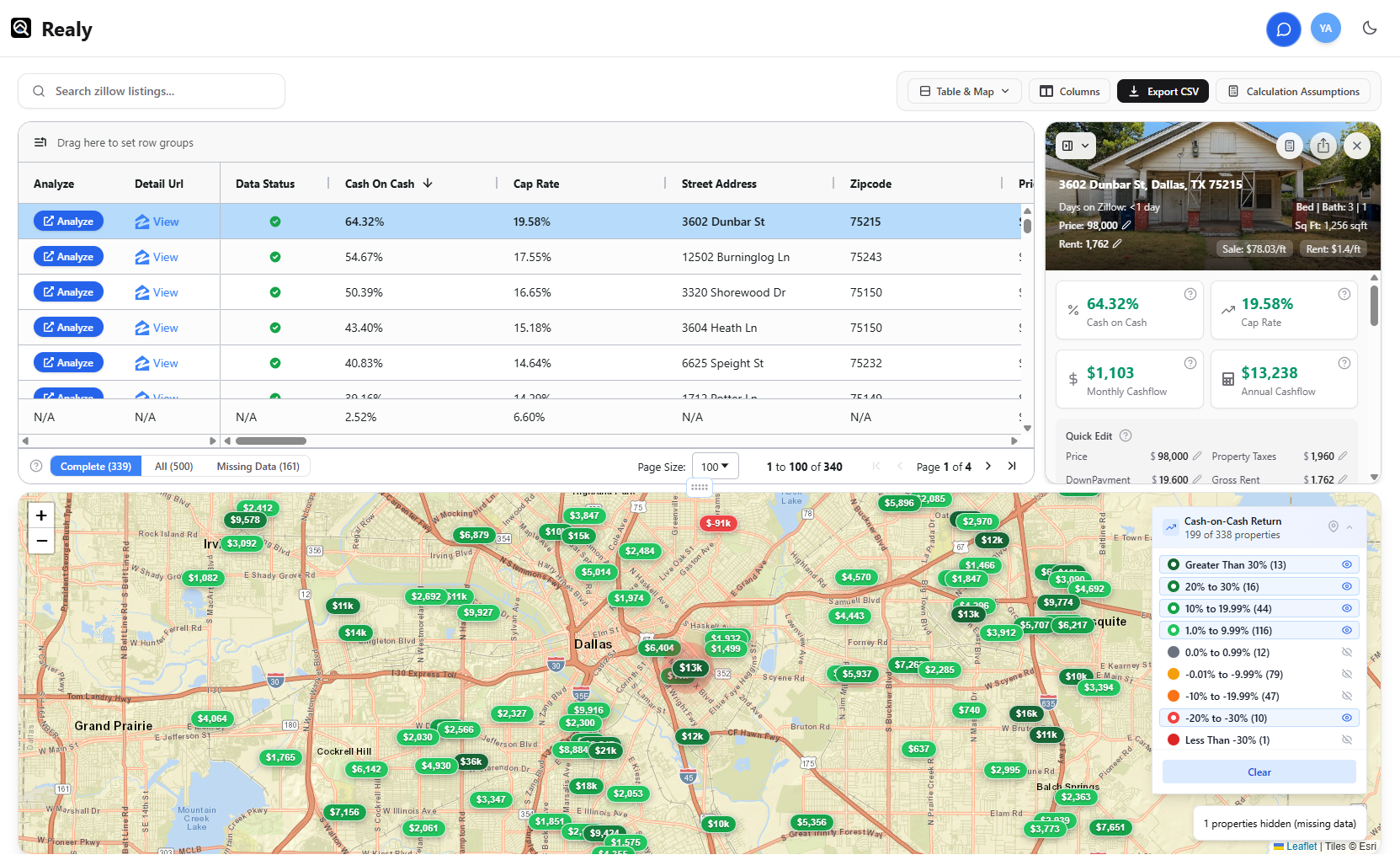
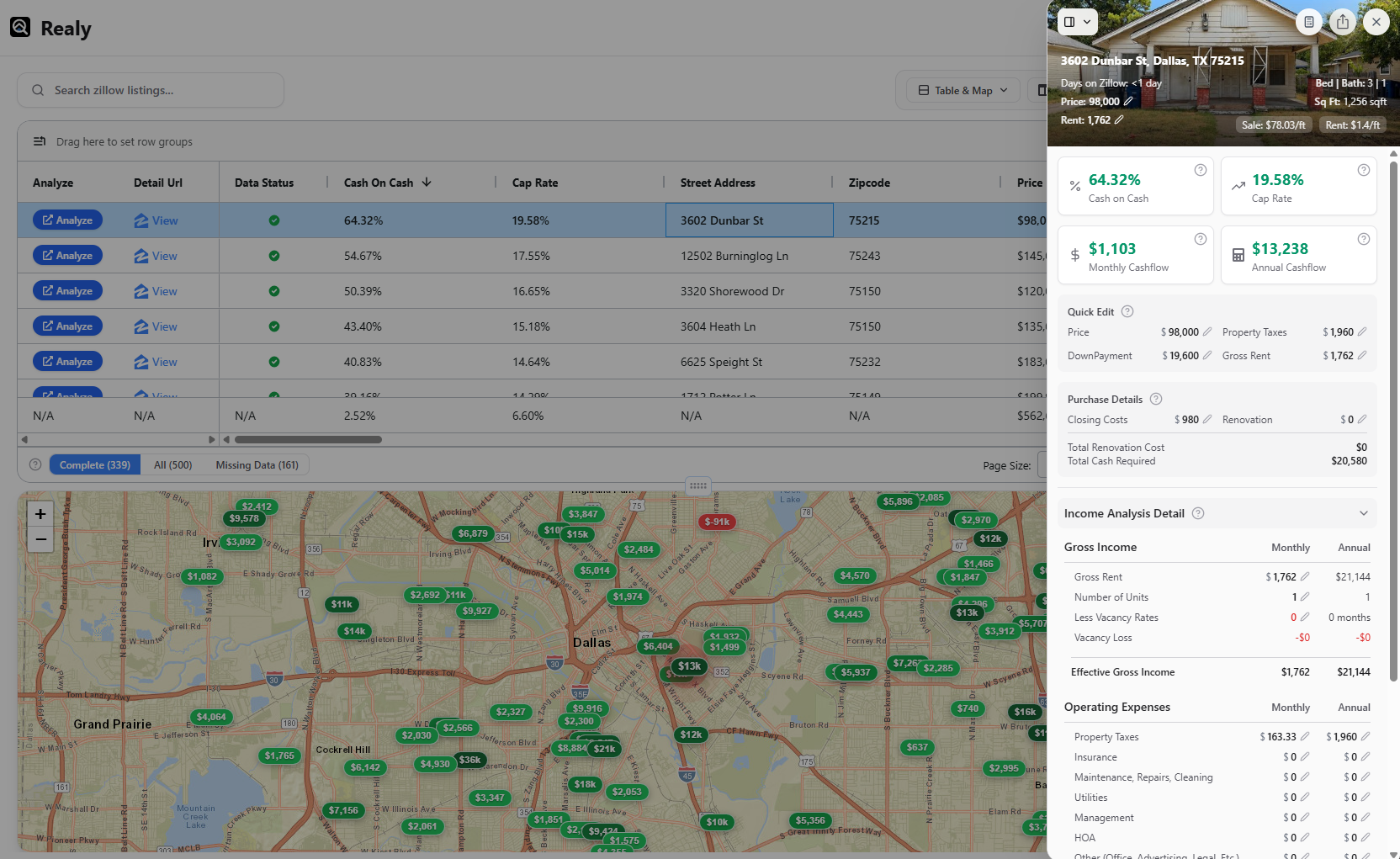
Click a row or pin. The panel opens with headline metrics: Cash on Cash, Cap Rate, Monthly / Annual Cashflow (with tooltips).
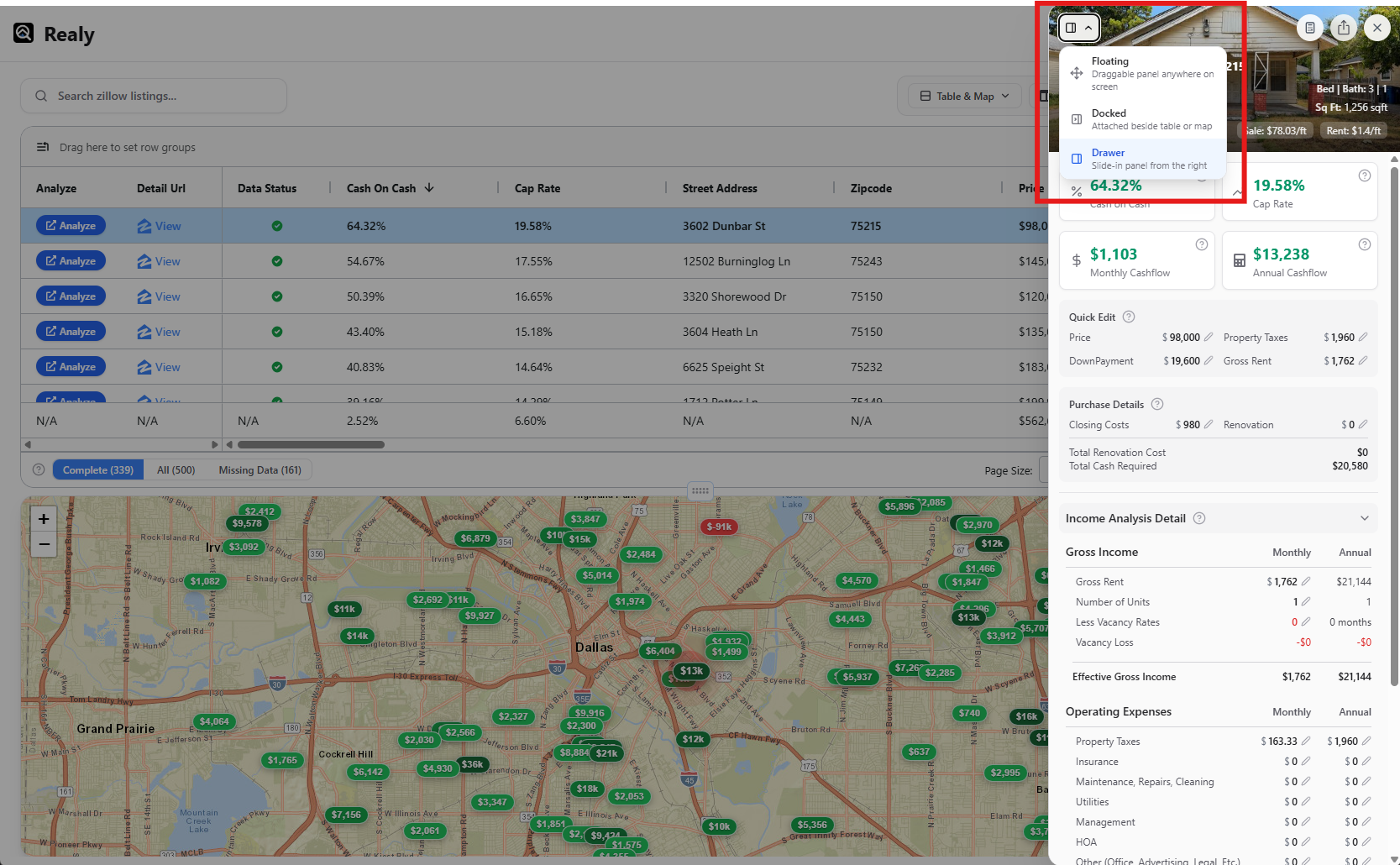
Step 2 — Pick a view mode
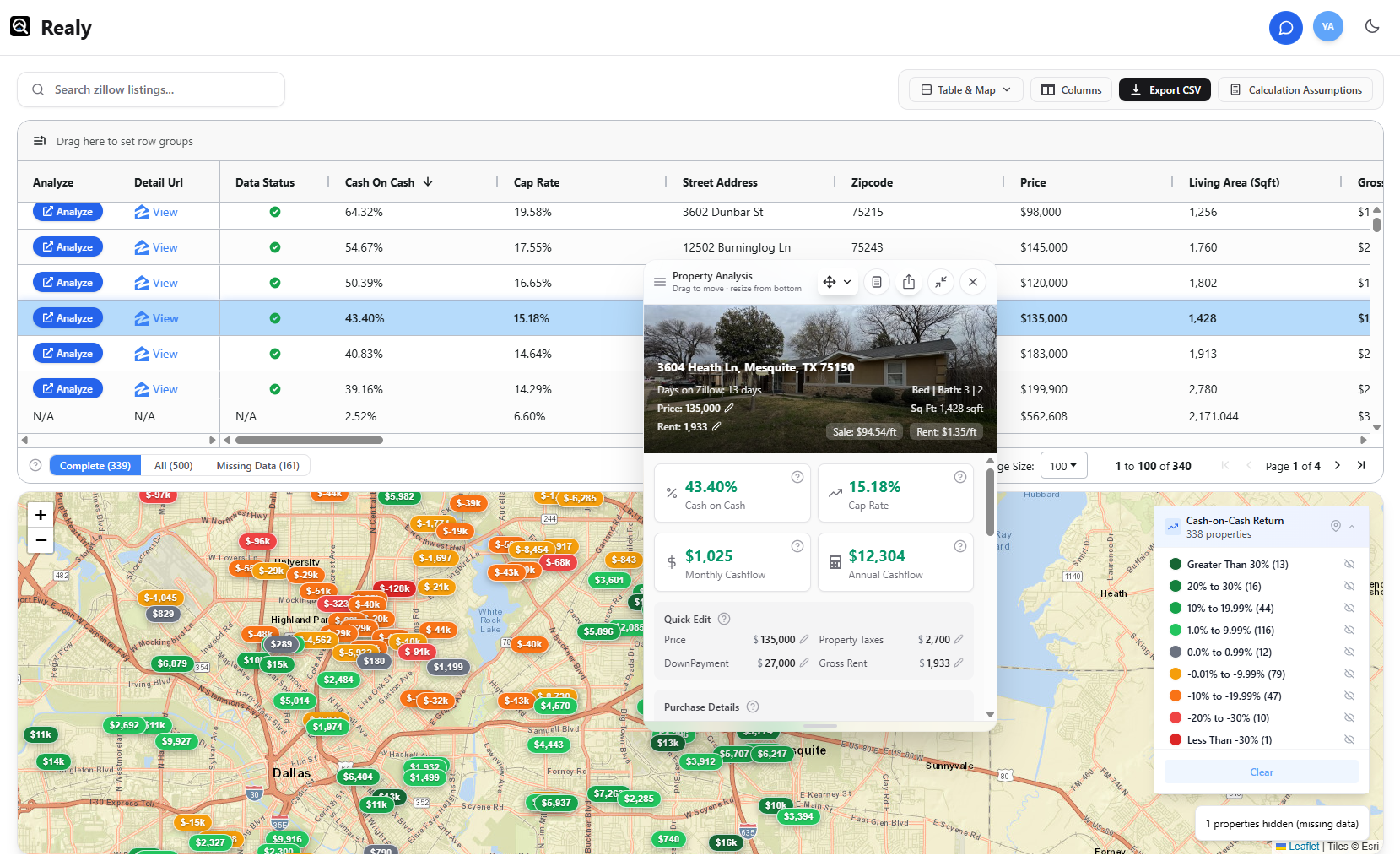
| Mode | Behavior |
|---|---|
| Docked | Side panel locked beside the grid/map |
| Drawer | Slide-out with position options |
| Floating | Movable overlay |
Step 3 — Quick Edit metrics and expenses
Use Quick Edit for fast assumption overrides on this deal, then review income & expenses (rent, vacancy, OpEx, debt). Confirm the numbers still match your strategy.
Docs → Metrics & Quick Edit · Income & expenses.
Step 4 — Continue on Zillow or on the web
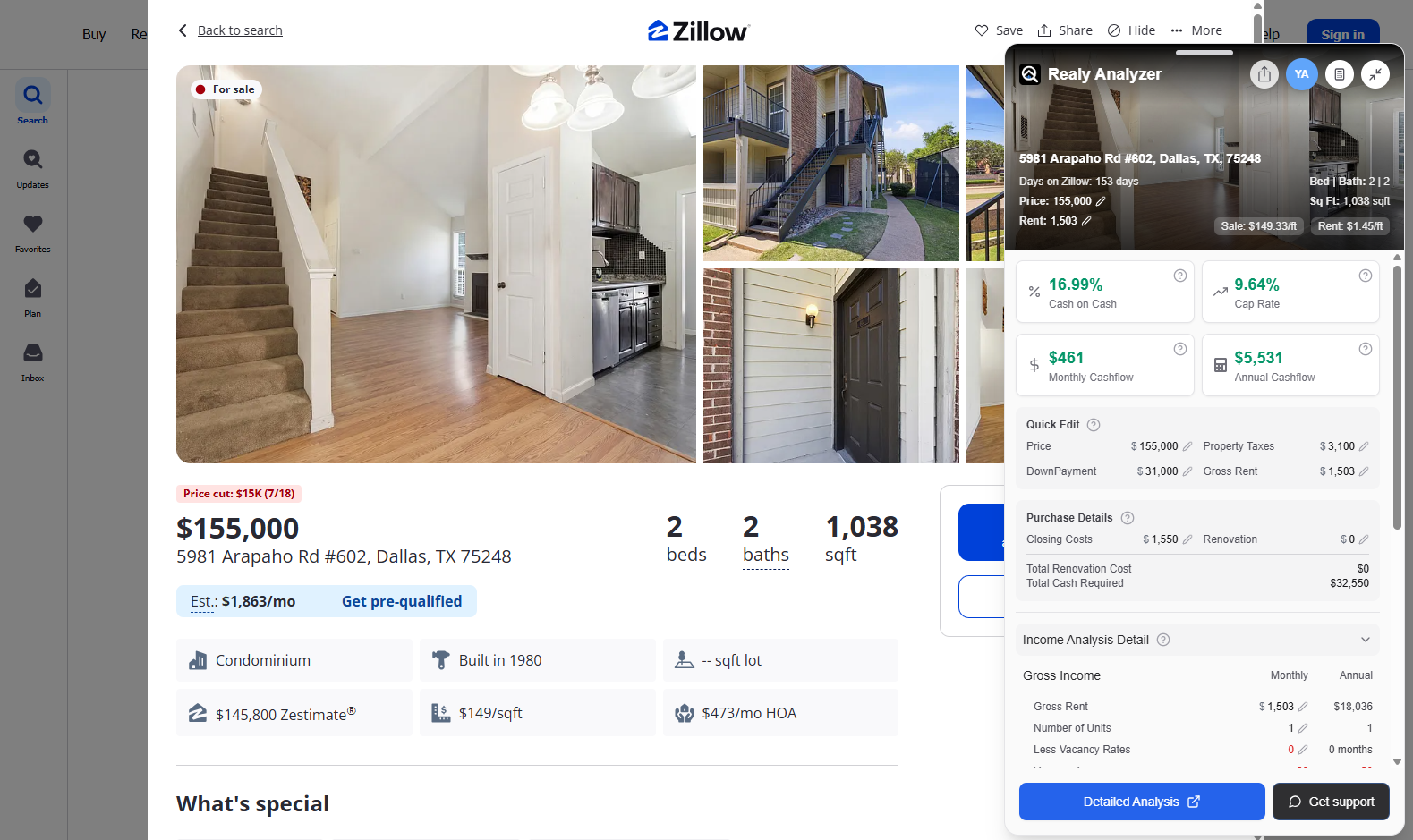
- Stay in the Zillow sidebar on a listing detail page for the same deal breakdown
- Open Detailed analysis on Realy.app when you need the full web underwrite with synced assumptions
Docs → Zillow sidebar · Detailed analysis (web)
Suggested Workflow (Table → Map → Panel)
- Filter to Complete and sort by CoC in the table
- Switch to map; confirm winners aren’t all in one high-risk block
- Open top 5–10 in the analysis panel; Quick Edit rent/rehab
- Share or export survivors; push one deal to Detailed analysis on Realy.app
Related
Canonical screenshots and FAQ: /docs.
Ready to analyze deals faster?
Download Realy for free, or share this with an investor friend.